Samsung Calculator App — Free Download for Android
Samsung Calculator (also listed as Calculator ₊) is Samsung's free basic-and-scientific calculator app for Android, with a built-in unit converter and calculation history. This page links to the two official stores and provides a direct Samsung Calculator APK download for manual installation.
- Free
- No ads
- Works offline
- No account needed
What is Samsung Calculator?
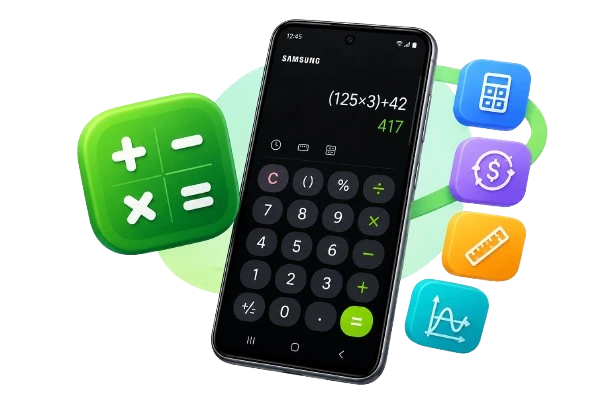
Samsung Calculator is the calculator app Samsung Electronics builds into its Galaxy phones and tablets, and also publishes for Android generally through Google Play. It covers the four basic operations plus a scientific/engineering mode, a unit converter (length, area, temperature and more), and a history panel that lets you reuse earlier results. The app is free, carries no ads, needs no sign-in, and — per its own store listing — collects no user data and works without an internet connection.
People search for it under a few different names — Calculator ₊, plain
Calculator, or "Samsung Calculator app" — because Samsung has relabeled the
icon across One UI versions. It's the same app either way: package name
com.sec.android.app.popupcalculator.
Download Samsung Calculator for Android
Google Play
Works on any compatible Android phone or tablet signed into a Google account — the most common way to get Samsung Calculator on non-Samsung Android devices.
Download on Google PlayGalaxy Store
Samsung's own store. If you're on a Galaxy device the app is usually already installed; use this to reinstall it or grab an update Samsung hasn't pushed to Play yet.
Download on Galaxy StoreSamsung Calculator APK Download
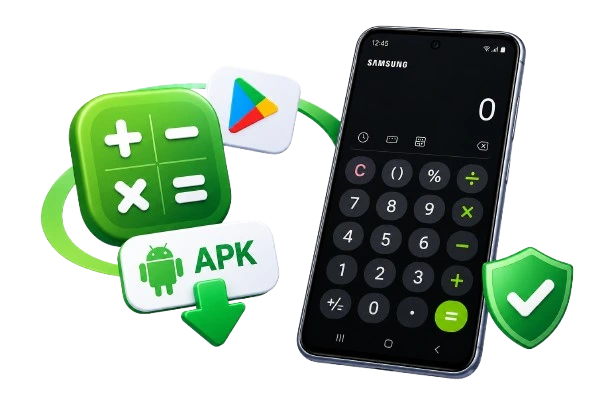
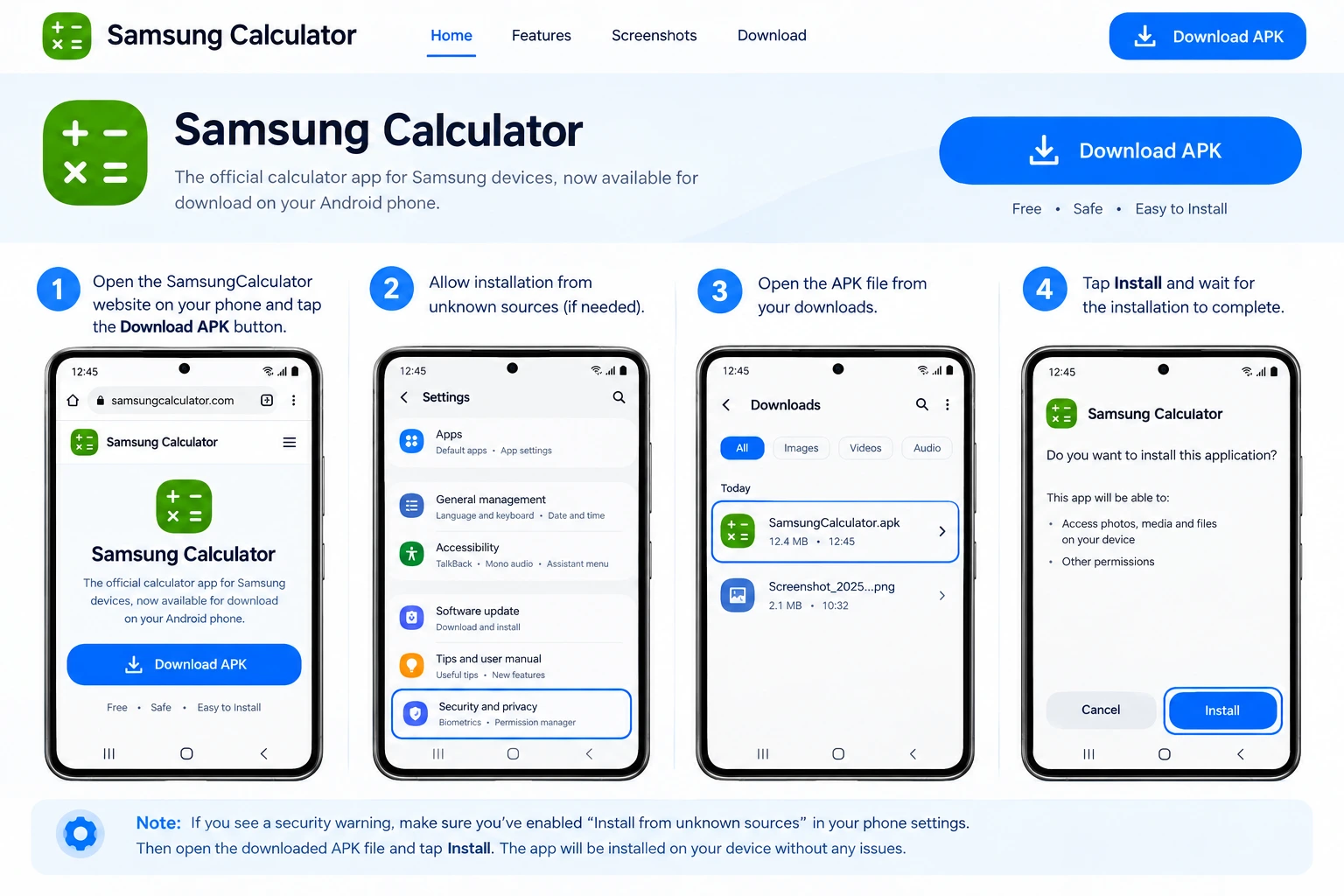
Looking for the Samsung Calculator APK for manual installation? You can download the APK file directly from this page and install it on a compatible Android device without using Google Play or the Galaxy Store.
The APK is an Android installation package for Samsung Calculator
(com.sec.android.app.popupcalculator). Before installing, make sure
your device is compatible and that Android allows installation from the source
where the APK was downloaded.
If you prefer store-based installation and automatic updates, use Google Play or Galaxy Store. If you specifically need the APK file for manual installation, use the download button below.
Samsung Calculator for iPhone / Apple devices
Samsung Calculator is Android-only — Samsung does not publish it on Apple's App Store, and there is no official "Samsung Calculator for iPhone." If you're looking for a Calculator Apple download, the closest official option is Apple's own built-in Calculator app, already on every iPhone (swipe to the App Library or Search and type "Calculator" if you don't see it on a Home Screen). It has a similar swipe-for-scientific-mode gesture in landscape.
If what you actually want is a fast, ad-free calculator you can reach from any device — iPhone included — this site's own browser calculators run instantly with no install and no account, which covers the same "calculator app free" need from a phone, tablet or desktop browser.
What's in the app
Basic & scientific modes
Rotate to landscape (or tap the mode switch on tablets) to move from the everyday keypad to scientific and engineering functions.
Unit converter
Length, area, temperature, volume and more, without leaving the calculator or opening a separate converter app.
Calculation history
Past calculations stay in a history panel you can scroll back through and reuse, so you don't have to retype a number you already worked out.
How to update Samsung Calculator
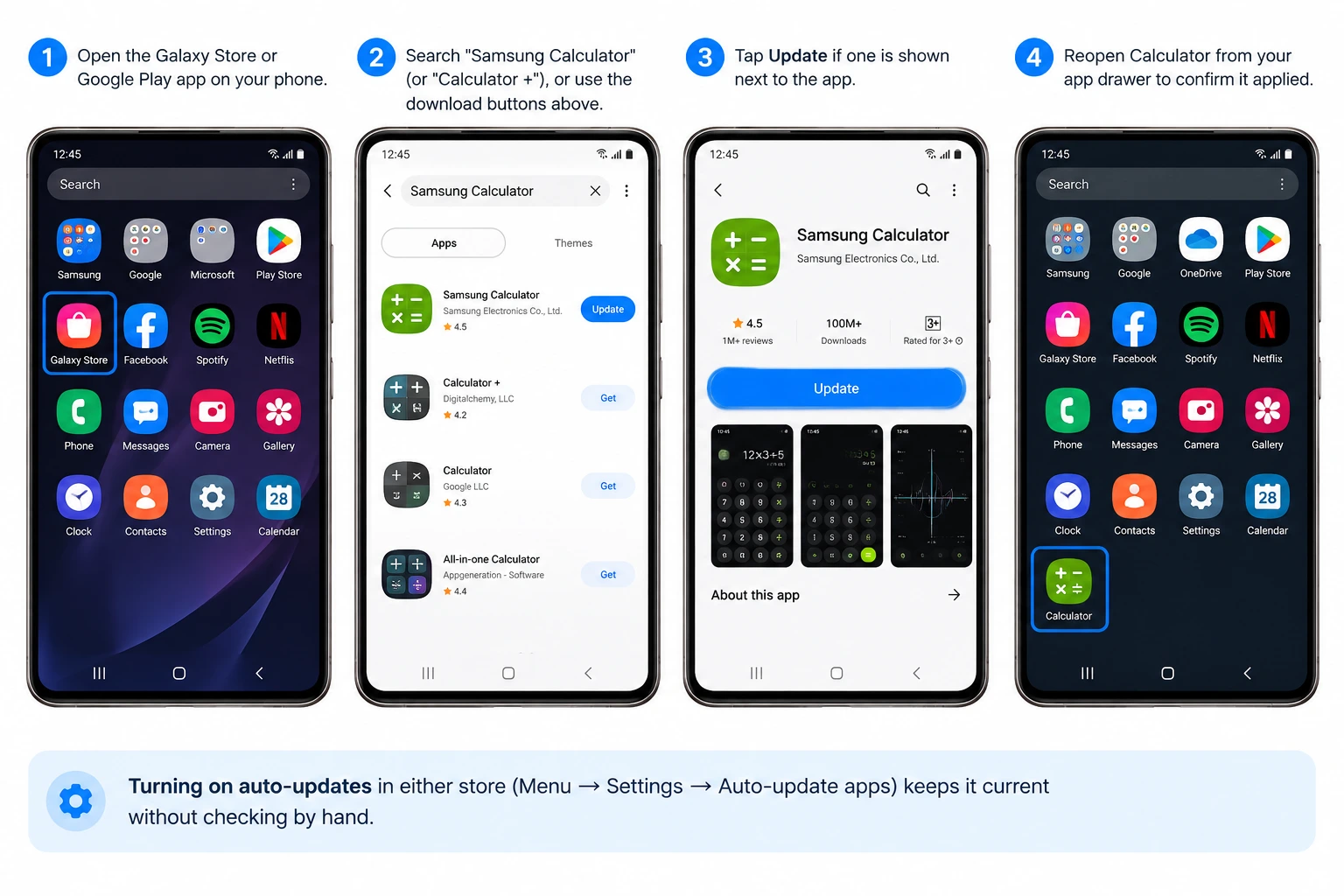
- Open the Galaxy Store or Google Play app on your phone.
- Search "Samsung Calculator" (or "Calculator ₊"), or use the download buttons above.
- Tap Update if one is shown next to the app.
- Reopen Calculator from your app drawer to confirm it applied.
Turning on auto-updates in either store (Menu → Settings → Auto-update apps) keeps it current without checking by hand.
Samsung Calculator settings & tips
Turn off the button click sound
This is a phone-wide sound setting, not an in-app one. Press a volume button, tap the three-dot menu above the volume slider, and switch off system sounds — or go to Settings → Sounds and vibration → tap sounds and turn off keyboard/touch sounds.
Light & dark theme
The app follows your phone's system theme, so switching your device to dark mode (Settings → Display → Dark mode) switches the calculator too.
Samsung Calculator app missing? Fixes that usually work
- Check for a hidden app drawer — many Galaxy phones let you hide apps without uninstalling them. Open the app drawer, tap the menu, and look for a "Hide apps" or "Home screen settings" list Calculator might be sitting in.
- Search your full app list — a Home-screen icon can be removed while the app itself is still installed; swipe up from the Home screen and search "Calculator".
- Reinstall it free — if it's genuinely gone, install it again at no cost from the Galaxy Store or Google Play.
What people are saying
Samsung Calculator holds a 4.5-star average from roughly 983,000 ratings on Google Play. The most recurring praise is the lack of ads, offline use, and the history panel; the most recurring complaint across several years of reviews is the button-click sound Samsung added in an update (fixable — see Settings & tips above) and occasional layout changes after an update. The quotes below are real, individual Google Play reviews, shown with the reviewer's own public display name and date, exactly as posted.
"Wonderful free calculator app, with no ads, and you can use it with no internet connection."
"It's a calculator app — it does what it's supposed to do without ads or any random issues."
"It is after all a calculator with absolutely NO ads! It also has the very helpful history button."
"Nice, clean and easy to use calculator with ZERO ads."
"This is a great app. Layout is simple, not confusing to use."
"The history button and unit converter make this a must have."
Related free calculators on this site
Browse all tools →Want a calculator online right now, from any device? These run in your browser with no install, in the same spirit as Samsung's app.
Samsung Calculator: frequently asked questions
Is Samsung Calculator free?
Yes. Samsung Calculator (package name com.sec.android.app.popupcalculator) is free on both Google Play and the Galaxy Store, has no ads, and needs no account.
How do I download Samsung Calculator?
Use the official links on this page: Google Play for any compatible Android device, or the Galaxy Store if you have a Samsung account set up on your phone. Both links go straight to Samsung's own listing.
Is there a Samsung Calculator apk I can download directly?
Samsung distributes the app only through Google Play and the Galaxy Store, not as a direct apk download. Installing an apk from outside those stores means it wasn't verified by Samsung or Google, so we link to the two official stores instead of hosting or linking a copy of the file ourselves.
Is Samsung Calculator available for iPhone?
No. Samsung Calculator is an Android app and Samsung does not publish an iOS version on the Apple App Store. iPhone owners can use Apple's built-in Calculator app, which ships with every iPhone, or one of the third-party scientific calculator apps on the App Store.
Why is the Samsung Calculator app missing from my phone?
On most Galaxy phones it comes preinstalled and can be hidden rather than removed: check your full app drawer and app-drawer settings for hidden apps first. If it was actually uninstalled, reinstall it free from the Galaxy Store or Google Play using the links on this page.
How do I update Samsung Calculator?
Open the Galaxy Store or Google Play, search Samsung Calculator, and tap Update if one is available. Turning on auto-updates in either store keeps it current without checking manually.
How do I turn off the button click sound in Samsung Calculator?
This is a system sound setting, not an in-app one: press a volume button, tap the three-dot menu above the volume slider, and switch off system sounds (or turn your phone's touch/keyboard sound off in Settings › Sounds and vibration).
Does Samsung Calculator have a scientific mode?
Yes. Rotate the phone to landscape (or tap the mode toggle on tablets) to switch from the basic keypad to scientific and engineering functions, alongside a unit converter and calculation history.
Samsung Calculator, Galaxy Store, Galaxy and Samsung are trademarks of Samsung Electronics Co., Ltd. samsungcalculator.com is an independent site that publishes its own browser-based calculators and this guide to Samsung's app; it is not affiliated with, endorsed by, or sponsored by Samsung Electronics. App details, ratings and review quotes on this page are sourced from the app's public Google Play listing.